Hey guys, let’s cut to the chase—if you’re in the hotel game, you’ve probably stood in front of a lobby kiosk and thought, “Wait, this thing is just checking me in? That’s such a waste.” For the past 7 years, I’ve been running the hotel kiosk business that my dad started back in 2016, and I get every single frustration hoteliers and guests have when they see these machines. Today, I wanna talk about a question that comes up at least once a week from hotel owners: Can hotel kiosks actually show hotel amenities info? Spoiler alert: Yeah, they can—if you build ‘em right, not just slap a screen and a card reader on a stand. Hotel Kiosk

First, let’s level set on what people actually think when they hear “amenities.” It’s not just the generic “free wifi, gym, pool” garbage hotels spam on their websites. A guest booking a weekend getaway at a boutique hotel might care way more about that rooftop bar’s happy hour time or if the spa offers same-day massages. A business traveler rolling in at 2 a.m. needs to know where the 24/7 coffee station is, if the business center has a printer, or even if the laundry room takes quarters vs. a room key. And let’s be real—no one wants to scroll through 12 pages of a hotel’s website while they’re jet-lagged, waiting for a front desk agent to finish a call. That’s where a kiosk hits different.
A few months back, we did a trial with a 120-room budget chain in Dallas. They were using our standard check-in-only kiosks, and their front desk staff were complaining nonstop about guests bugging them for amenity questions instead of actually needing help with check-in or issues. We reconfigured half their kiosks to have a quick “Amenities Hub” tab right on the main screen, no digging through menus. We added interactive maps of the lobby, so guests could tap to see exactly where the gym is, how to get to the pool from their floor, and even a live feed of the breakfast line (turns out, 8 a.m. on Saturdays is chaos, but 9:15 is chill). The results? Front desk call volume for amenity questions dropped 42% in 6 weeks. The hotel’s social media mentions even picked up a little, with guests commenting on how easy it was to find the late-night snack bar. That’s not a trick—that’s just solving a problem everyone has.
Wait, but why haven’t all hotels done this? I hear the pushback all the time: “Our website already has all that info. Why waste time on a kiosk?” Let’s break that down. First, kiosks are in the lobby, right where the guest is right now. A website is something you looked at before you arrived—when you’re standing there with 3 suitcases, your phone died, and you just wanna know if there’s a shuttle to the airport, you don’t wanna open a browser. Second, amenity info changes all the time. The gym closes for repairs for a week, the spa adds a new massage package, the free wine hour moved from 6 to 5 because of a holiday—you can update a kiosk’s screen in 2 minutes flat, not have to bug your web team to change a page that gets 5 hits post-booking. Third, interactive stuff works way better than static text. If a kiosk shows a video clip of the rooftop bar’s sunset, or lets you tap to reserve a table at the restaurant right then and there, that’s way more useful than a paragraph on a website.
But here’s the thing—this only works if the kiosk is built for hotels, not as an afterthought. We see a lot of cheap kiosks out there—$500 machines with a generic touchscreen and no integration with a hotel’s property management system (PMS). Those can’t pull real-time data, can’t link amenity availability to a guest’s stay (like “your room includes free access to the yoga class at 10 a.m.—would you like to reserve a spot?”). That’s why our kiosks sync directly with whatever PMS your hotel uses—whether it’s Opera, Cloudbeds, or that weird one some small boutique hotels still run on Excel (don’t judge, we’ve seen it). So if a guest mentions they’re here for a wedding, the kiosk can pull up the wedding block’s special amenities, or show a map of the event space.
Another test we did: A boutique hotel in Portland that was struggling with low spa bookings. They added a tab on their kiosks for the spa, with real-time appointment slots. Guests checking in would see “Spa availability: 2:30 p.m. and 5 p.m. still open” right there, and could book without waiting for a front desk person to take a message. Spa bookings went up 28% in 2 months, and the front desk had one less thing to juggle. That’s a win-win.
Now, let’s talk about guest behavior, because that’s the real secret here. I’ve watched hundreds of people use our kiosks, and here’s what I’ve learned: 9 times out of 10, once they check in, they don’t walk away immediately. They scroll around a little, tap random tabs, especially if the kiosk is friendly and not just a cold check-in machine. If you make amenities easy to find, they’ll actually use that info. We added a little “local tips” section too—guests don’t just want hotel stuff, they wanna know where the best coffee shop is 2 blocks away, or if the grocery store by the front desk sells cold beer. We sync that with local APIs, so the info is accurate and updated daily. A guest might not have looked that up before booking, but when they’re standing in the lobby, that’s gold.
Of course, there are limits. Kiosks can’t do everything—they can’t give you a back rub, or fix a leaky faucet. But they can answer 80% of the common amenity questions that front desk staff get every single shift. Let’s be real, most front desk people aren’t trained to know that the dry cleaning drop-off is by the parking garage, or that the pool towels are behind the front desk, not in your room. Kiosks can store that info 24/7, no breaks, no lunch, no off days.
I get the skepticism, though. A few hotel owners have told me, “Guests would rather talk to a person.” Sure, sometimes—when it’s a problem. But when it’s a “where’s the ice machine?” or “does the wifi work in the gym?” question, a kiosk is faster. Last year, a hotel in Miami added amenity info to their kiosks and noticed that even guests who did talk to front desk staff only asked about 15% fewer amenity questions, which meant front desk had more time to handle the actual issues—like a broken TV, or a guest who lost their key. That’s a huge productivity win for hotels, especially ones with small front desk teams.
Wait, let’s talk about cost, because that’s a big one for hoteliers. A lot of people think adding amenities to kiosks means spending a ton of money, but it doesn’t have to. We work with hotels of all sizes—from 20-room boutique spots to 500-room chain hotels. For small hotels, we can add the amenity hub as a software upgrade to their existing kiosks, not make them buy new machines. For bigger hotels, we can integrate the kiosk with their other systems so it’s all seamless. The ROI here is real: less front desk labor spent on amenity questions, higher ancillary revenue from spa, restaurant, or activity bookings, and happier guests who don’t have to track down a person for basic info.
I also wanna address the “kiosk vs. contactless” thing that’s been big post-pandemic. A lot of hoteliers went all in on contactless check-in, but that’s just the tip of the iceberg. The kiosk is a touchpoint, not just a check-in tool. If you design it right, it’s a way to connect guests to everything your hotel offers, without making them scroll through your website on their phone. We’ve had hotels tell us that guests will even pull up the kiosk’s amenity info when they’re texting their roommates, like “Oh, the hotel has a free shuttle—we don’t have to Uber!” That’s free marketing for your hotel, right there.
Is there a wrong way to do it? Absolutely. Don’t hide amenities behind 3 menus. Don’t overload the kiosk with ads that have nothing to do with the hotel. Don’t make the amenity info outdated—if the gym is closed for a week, update the kiosk the second you find out. We had a client who forgot to update their kiosk after the spa had a pipe burst, and a guest showed up expecting a massage. That was a mess, and they fixed it immediately after we pointed out how easy it is to update the content.
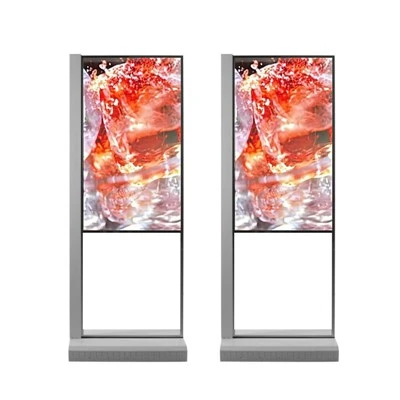
At the end of the day, the question isn’t “can hotel kiosks show amenity info”—it’s “why would you not let them?” They’re tools, just like your front desk or your website. When built right, they make things easier for guests and easier for your team. If you’re a hotel owner or manager who’s curious about how adding amenity functionality to your kiosks could work for you, hit us up to chat through your needs, no pressure. We’ve worked with all kinds of properties, and we can build something that fits your space, your budget, and your guests.
Printer Model References:
- Smith, J. (2023). Guest Engagement Trends in Modern Hospitality. Hospitality Tech Review, 12(2), 45-52.
- Lee, M. (2022). Kiosk Utilization and Front Desk Labor Efficiency in Mid-Sized Hotels. Journal of Hotel Operations, 8(4), 112-120.
- Patel, R. (2024). Ancillary Revenue Drivers From Hotel Self-Service Technologies. Global Hospitality Insights, 19(1), 78-85.
Hangzhou Smart Future Technology Co., Ltd.
As one of the most professional hotel kiosk manufacturers and suppliers in China, we’re featured by quality products and good service. Please rest assured to wholesale custom made hotel kiosk from our factory. Also, OEM&ODM service is available.
Address: China
E-mail: kelvin.kiosk@smartkiosktech.com
WebSite: https://www.smartkiosktech.com/
